Before You Order Google Review Cards, Check These 5 Things
From QR codes and NFC cards to editable templates and ready-made designs, here’s what small business owners should know before buying.
If you’ve been looking for Google review cards for your business, you’ve probably noticed something confusing: prices vary enormously, and products that look almost identical aren’t necessarily selling the same thing.
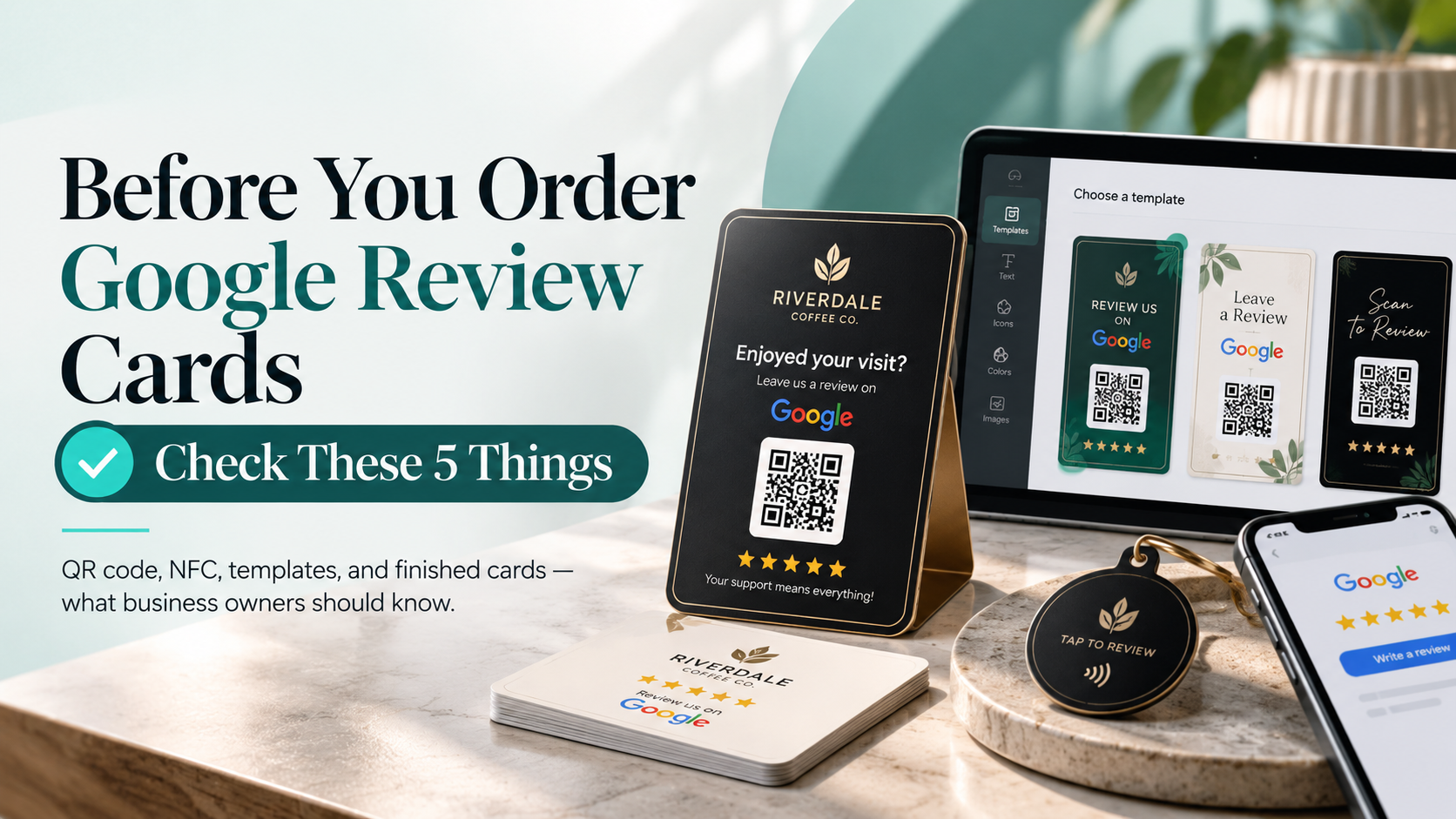
One seller offers a Google review card template for a couple of dollars. Another sells a personalized digital card. Others offer physical NFC cards, countertop stands, or keychains that customers can tap with their phones.
So, what’s the difference? And what are you actually paying for?
Google review cards all serve a similar purpose: making it easier for customers to access your Google review page and share their experience. But the technology, customization process, delivery format, and amount of work required can vary considerably.
Before you order Google review cards for your business, here are five things worth checking.
1. QR Code or NFC: How Will Your Customers Use the Card?
The first decision is surprisingly simple: do you want customers to scan a QR code or tap a physical product with their phone?
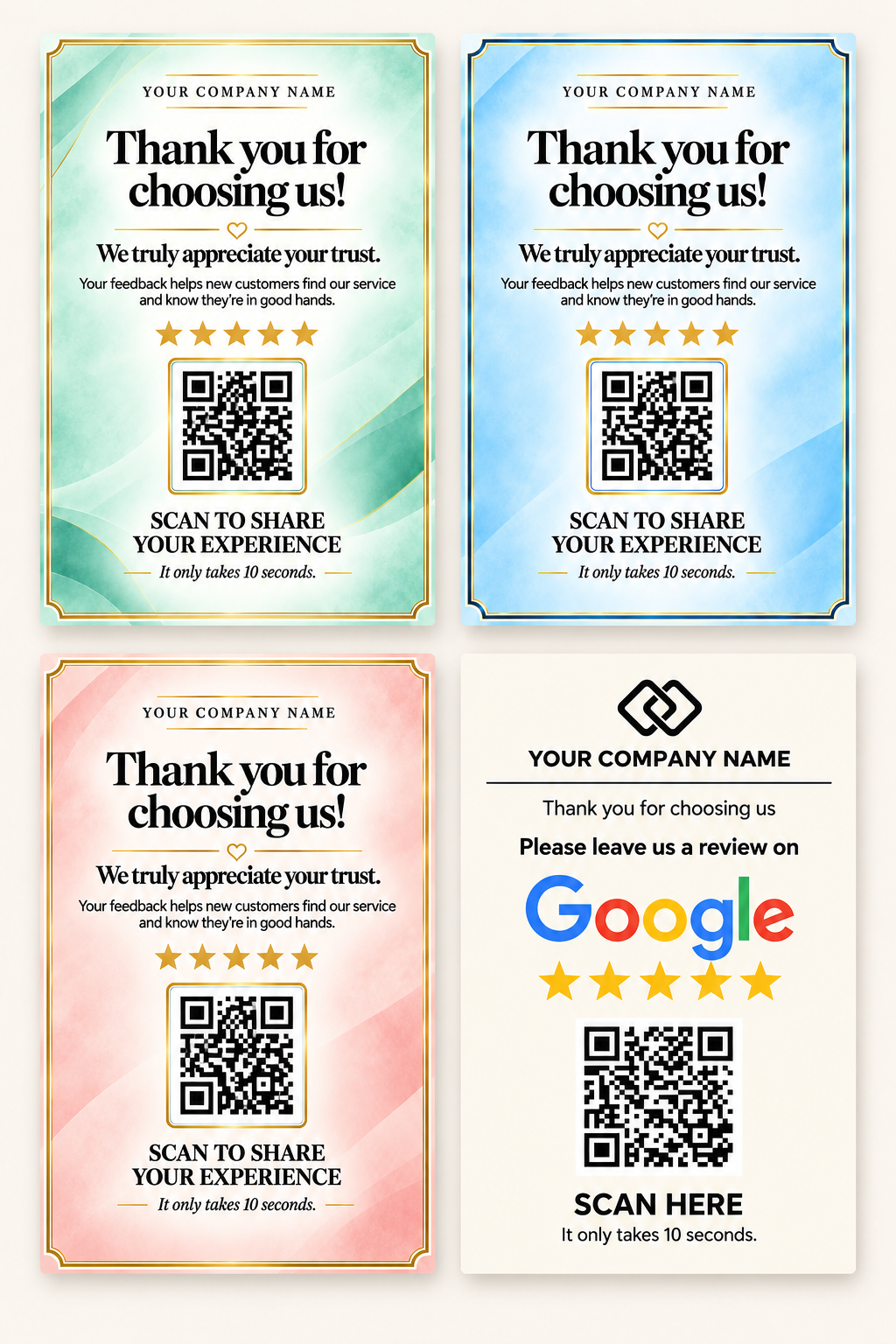
QR code review cards contain a scannable code linked to your business’s Google review page. Customers open their phone camera, scan the code, and follow the link.
They don’t require electronic hardware, which makes them flexible and inexpensive to reproduce. A digital Google review card can be printed at home, professionally printed, or displayed as a countertop sign.
NFC cards work differently.
NFC stands for near-field communication, a technology that lets compatible smartphones interact with a nearby programmed chip. Instead of scanning, customers hold their phones near the card to open the review link.
You’ll find NFC review products in several formats:
- Tap cards: Small physical cards containing an NFC chip.
- Countertop stands: Permanent displays suitable for reception desks and checkout counters.
- NFC keychains: Portable tags that employees or mobile service providers can carry.
- Hybrid cards: Physical products combining NFC technology with a printed QR code.
Neither approach is universally better.
An NFC stand might suit a salon with a permanent reception desk, while a printed QR code card might be more convenient for a cleaning business that leaves something behind after completing a job.
Consider how customers interact with your business before choosing the technology.
2. Does the QR Code Lead Directly to YOUR Google Review Page?
This sounds obvious, but it’s one of the most important things to verify.
A Google review card should direct customers to the correct review destination for your specific business.
Not a generic Google search page. Not someone else’s business listing. And ideally, not a series of unnecessary intermediate pages.
The aim is to make leaving feedback as straightforward as possible.
If you’re buying Google review cards with QR code, check whether the seller generates and configures the code for you or expects you to provide a finished QR image.
These are different services.
Some inexpensive templates include a placeholder QR code that must be replaced manually. Others require you to find your Google Business Profile review link, generate the QR code separately, and insert it into the design yourself.
A done-for-you service handles that setup as part of the customization process.
Regardless of which option you purchase, always test the finished card before using it.
Scan it with a real phone, check that it opens the intended destination, and make sure the code remains readable after printing.
An elegant design won’t accomplish much if customers can’t access the correct review page.
3. Are You Buying an Editable Template or a Finished Card?
This is where the price difference between Google review cards becomes particularly interesting.
You might find an editable Canva template for $1 or $2 and wonder why anyone would pay more.
The answer is that a template and a finished product are not the same thing.
There are essentially three approaches.
A raw Google review QR code
You obtain your business’s review link, generate a QR code, and create the surrounding design yourself.
This is perfectly reasonable if you’re comfortable preparing your own marketing materials.
An editable Google review card template
You purchase a pre-designed layout, often through Canva.
You still need to personalize it with your business name, insert the correct QR code, adjust the design if necessary, export the file, and verify that everything works.
Templates can be an economical choice for business owners who enjoy design work or want complete creative control.
A done-for-you custom Google review card
You provide your business information and review destination. Someone else handles the design customization and QR-code setup, then delivers the finished file.
There’s nothing to edit yourself.
This distinction matters when comparing products advertised as customizable Google review cards. Sometimes customizable means you can edit the template. Other times, it means the seller customizes the product for you.
If you’re looking for an easy to use Google review card, check which one you’re getting.
A template gives you the ingredients. A done-for-you product gives you the finished dish.
And if you’re running a busy business, the latter might be considerably more appealing.
4. Is the Card Designed for How You’ll Actually Use It?
Before purchasing, think about where customers will encounter your review request.
Will the card sit on a counter? Will you hand it to customers? Include it with an order? Display it at reception?
The intended use should influence the design and delivery format.
For example:
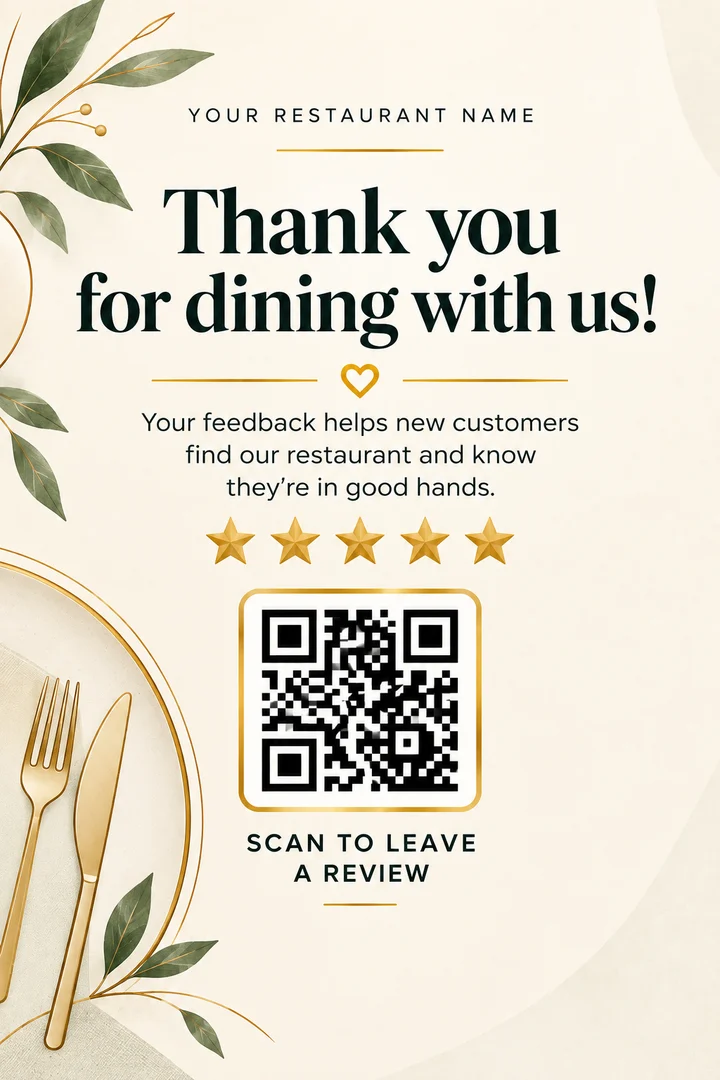
Restaurants and cafés: QR code review cards can be displayed on tables, near the payment terminal, or included with takeaway orders.
Salons and beauty businesses: A small countertop card can provide an easy way for customers to access the review page at reception.
Cleaning and home-service companies: Google review business cards can be handed to customers following a completed service.
Retail shops: A printed review-request card can accompany packaging or be displayed near checkout.
Clinics and professional services: A discreet review card at reception can provide a convenient way to share feedback.
Whatever your industry, the design should include a clear call to action, recognizable business information, and a sufficiently large, high-contrast QR code.
Avoid unnecessarily complicated layouts. A card doesn’t need to compete with your entire marketing brochure.
Something as simple as “Scan to review us on Google” can communicate the purpose immediately.
Check the file format, too
If you’re purchasing a digital Google review card, find out what you’ll actually receive.
Is it a PDF, a PNG image, an editable Canva template, or something else?
Is the finished file suitable for your intended printing dimensions? Does the seller include printing, or will you arrange that yourself?
A digital file gives you flexibility to print additional copies, but the original design still needs to be suitable for your chosen format.
One final practical detail: QR codes are particularly useful in physical settings. If you’re requesting feedback through email or a message that someone reads on their phone, a clickable review link is usually more convenient than displaying a QR code on that same screen.
5. What’s the Actual Cost, Including Your Time?
Price matters, of course. But the advertised price doesn’t always tell the whole story.
Let’s say you find a Google review card template for $1.
That’s inexpensive. But depending on the product, you’ll still need to customize the design, generate and insert the QR code, export the correct file, and verify the finished result.
If you’re familiar with Canva, that might be easy.
If you’ve never worked with a design tool, it becomes another task competing for your attention.
Now compare that with purchasing a custom digital Google review card that arrives fully personalized.
The initial price may be higher, but the customization work has already been completed.
Physical products have their own considerations. NFC tap cards require hardware, and printed products can involve shipping charges, delivery times, and additional purchases when you need more copies.
When comparing the best Google review cards for your business, consider the complete purchase rather than just the number displayed beside the product.
Ask yourself:
- Does the price include personalization?
- Is QR-code generation and setup included?
- Will I receive an editable template or a finished design?
- Are printing and shipping included?
- Can I make additional copies from the delivered file?
- How much work remains after purchasing?
The lowest-priced option may be exactly what you need. But it helps to know what is included before ordering.
One More Thing: Keep the Review Request Simple
Whichever product you choose, remember that a Google review card is an invitation to share genuine feedback.
It shouldn’t tell customers what rating to give or offer rewards in exchange for reviews.
A simple, neutral request is often enough:
“Thank you for choosing us. We’d love your feedback.”
“Scan to leave us a Google review.”
“Tell us about your experience.”
The purpose is to make leaving feedback more convenient, not influence what customers say.
Want a Google Review Card Without Doing the Customization Yourself?
Disclosure: I also sell the digital review cards mentioned below.
If you like the flexibility of QR code review cards but don’t want to spend time editing Canva templates or configuring QR codes, I’ve created a done-for-you alternative.
Digital Google Review Cards with QR Code are personalized for your business, with your business details and unique Google review QR code already incorporated into the design.
You simply provide the required information and receive the finished digital card, ready to print and use.
No Canva editing. No QR-code setup. No NFC hardware.
It’s a straightforward alternative for business owners who want the finished marketing asset rather than another DIY project.
Explore Custom Google Review Cards For A Stronger Google Business Profile
Ultimately, whether you choose an inexpensive template, an NFC device, or a personalized digital card, the principle is the same: make it easy for customers to find your review page, and choose something that fits naturally into the way your business already operates.