Google Review Request Cards: How to Ask for Reviews Without Making It Awkward
Google review request cards are small printed or digital cards that invite customers to share their experience on Google. They usually include a short message and a QR code linking directly to the business's review page.
The simplest way to use them is to make the card available after a normal customer interaction, mention it briefly if appropriate, and let the customer decide whether to leave a review.
No awkward sales pitch. No asking someone to pull out their phone while you watch. Just a convenient way for customers to share feedback when they choose.
Here's how to make that approach work in a real business.
Why Asking Customers for Reviews Can Feel Awkward
Imagine you're paying for a haircut and the receptionist says:
"Could you leave us a five-star Google review? It would really help us."
Suddenly, a perfectly normal transaction feels uncomfortable. You might be happy with the service, but now you're being asked to do something extra, give a particular rating, and respond to the request while someone waits for your answer.
That's the problem with many review requests. The customer may not object to leaving feedback. They may simply dislike being put on the spot.
A review request card changes the interaction.
Instead of making the customer respond immediately, the business can offer a small card with a simple invitation:
"Here's our review card if you'd like to share your experience later."
The customer can take it, scan it at a convenient time, or ignore it.
The card doesn't eliminate the request. It makes the request easier to receive and easier to act on.
This distinction matters, especially for businesses where staff interact directly with customers throughout the day.
What Should a Google Review Request Card Say?
Good Google review request card wording is short, clear, and neutral.
Customers should understand three things:
- You're inviting them to share feedback.
- The review will be posted on Google.
- The QR code takes them to the right place.
A straightforward example is:
How Was Your Experience?
We'd appreciate your feedback.
Scan the QR code to leave us a Google review.
That's enough for most businesses.
You can add your business name or logo, but there's usually no reason to fill the card with explanations about how important reviews are.
Avoid requesting a particular rating or telling customers what to write. The invitation should welcome honest feedback, regardless of whether the experience was positive or negative.
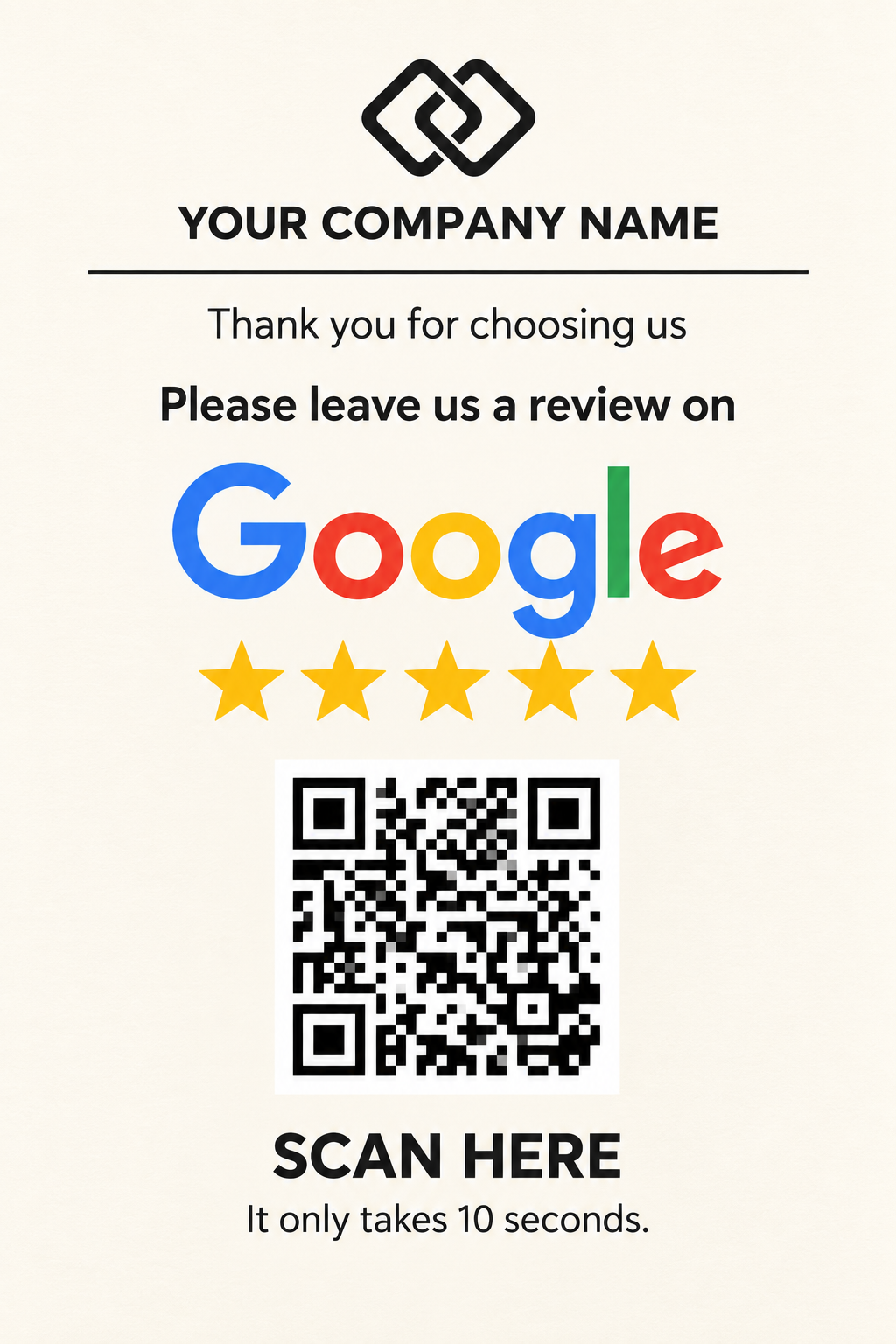
Google Review Request Card Wording: 6 Examples
Different businesses can use slightly different language without complicating the message.
Here are six examples that can be adapted for printed or digital cards.
1. Simple and Direct
Leave Us a Google Review
We'd love to hear about your experience.
Scan the QR code to share your feedback.
This works for almost any business, especially where a short, functional message is preferable.
2. Friendly and Casual
How Did We Do?
Your feedback matters to us.
Scan to share your experience on Google.
A natural fit for cafés, salons, independent shops, and other businesses with a relaxed atmosphere.
3. Appreciative
Thank You for Choosing Us!
We appreciate your support.
If you'd like to share your experience, scan the code to leave a Google review.
This version works well for thank-you cards included with purchases or completed service paperwork.
4. Focused on Helping Other Customers
Share Your Experience
Your review can help others learn what to expect from our business.
Scan to leave your feedback on Google.
This gives customers a concrete reason for sharing their experience without suggesting what rating they should leave.
5. Professional and Understated
We Value Your Feedback
Thank you for visiting our business.
You can share your experience by scanning the QR code below.
This may suit dental practices, professional services, and businesses that prefer a more restrained tone.
6. Short and Minimal
Tell Us What You Think
Scan to review us on Google.
This can work particularly well on small cards or compact countertop displays where space is limited.
The wording doesn't need to be clever. It needs to be understandable.
How to Hand Customers a Review Card Without Making It Awkward
The biggest improvement often comes from changing how staff introduce the card.
You don't need an elaborate script. In fact, the longer the explanation, the more the interaction can start to feel like a sales pitch.
Here are three practical approaches.
Approach 1: Let the Card Speak for Itself
Place a review request card somewhere customers naturally look.
For example, a café might put a small card in a holder near the payment terminal.
The customer can notice and scan it without being interrupted.
This approach works especially well when employees are busy or when customers generally prefer quick transactions.
Approach 2: Make One Casual Mention
A receptionist might say:
"There's a Google review card here if you'd like to share your experience."
Or a shop employee could say:
"We've included our review card in your bag, in case you'd like to leave some feedback."
The key is to mention it once and move on.
Don't wait for the customer to promise they'll leave a review.
Approach 3: Include It in a Natural Follow-Up
A cleaning company could leave a thank-you card after completing a job.
A contractor might include a review card with the final service documents.
A hotel could make review information available at checkout.
In each case, the customer receives the invitation as part of an existing interaction rather than a separate request that demands attention.
A useful rule: Offer the opportunity to review, not an obligation to review.
When Is the Best Time to Give Customers a Review Request Card?
The best time depends on how your business operates.
Generally, it's more natural to introduce the card after the customer has experienced the product or service, rather than before.
| Business | Natural Moment to Offer the Card |
|---|---|
| Restaurant | With the bill or near checkout |
| Hair salon | At reception after the appointment |
| Retail store | With the receipt or shopping bag |
| Dental practice | With checkout or aftercare paperwork |
| Cleaning company | With the completion note or invoice |
| Auto repair shop | When handing over the vehicle and paperwork |
There's another important distinction: choose the timing based on the normal customer journey, not on whether the customer seems likely to leave a good review.
For example, a restaurant shouldn't give review cards only to guests who compliment the food.
Google prohibits selectively soliciting positive reviews. Make the invitation available consistently to genuine customers, regardless of what you think their rating might be.
Customers should also be free to leave the review later. Don't require them to post it before leaving your premises.
How to Make Review Request Cards Part of Your Routine
For review request cards for business use, consistency matters more than an elaborate strategy.
Consider a busy hair salon.
If the cards are kept in a drawer, staff have to remember to find them, explain what they're for, and hand them over. That creates extra work.
Instead, the salon could place a small card holder beside the reception desk.
Now the card is visible, available, and easy to reference.
Staff can simply say, "Our review card is right here if you'd like to use it."
The same principle applies to other businesses:
- A café can place a review card near its takeaway pickup area.
- A retail shop can include the card with standard purchase materials.
- A contractor can add it to the usual job-completion paperwork.
- A service business can include a review link in its regular follow-up message.
The goal is to integrate review requests into existing workflows rather than inventing a new task employees must perform.
Avoid imposing review quotas on staff. Google's policies specifically identify requiring staff to solicit a certain number of reviews as an example of prohibited rating manipulation.
A simple, optional review process is easier for both employees and customers.
Common Review Request Mistakes and Better Alternatives
The wording and delivery of a request can change how it feels to the customer.
| Avoid Saying or Doing | Better Alternative |
|---|---|
| "Please give us five stars." | "We'd appreciate your honest feedback." |
| "Leave us a review and get 10% off." | Invite reviews without rewards or incentives. |
| "Can you scan this and review us right now?" | "Here's our review card if you'd like to use it later." |
| Giving cards only to customers who compliment you | Make the invitation available to customers regardless of expected sentiment. |
| "Please mention that our staff were amazing." | "Feel free to share your experience in your own words." |
Google allows businesses to invite genuine customer reviews, but prohibits incentives, pressure, and attempts to influence ratings or review content.
You can find the details in Google's policies on genuine reviews and rating manipulation.
Should You Use a QR Code on Your Review Request Cards?
For physical cards, a QR code is usually the simplest option.
Without one, customers may need to:
- Search for your business on Google
- Find the correct Google Business Profile
- Locate the reviews section
- Open the review form
A QR code connected to your direct Google review link removes several of those steps.
A customer scans the code with their smartphone and opens the relevant review page.
You can obtain an official review link or QR code through your Google Business Profile. Google explains the process in its review link and QR code instructions.
For email or text messages, however, a clickable review link is generally more convenient.
If a customer is already reading your message on their smartphone, asking them to scan a QR code displayed on that same screen introduces an unnecessary step.
Use the format that suits the situation.
DIY Review Request Cards vs. Done-for-You Cards
You can create a basic review request card yourself.
You'll need your Google review link, a suitable QR code, and a simple design containing your business information and review invitation.
If you're comfortable working with design software, that may be all you need.
Another option is to order a finished card customized for your business.
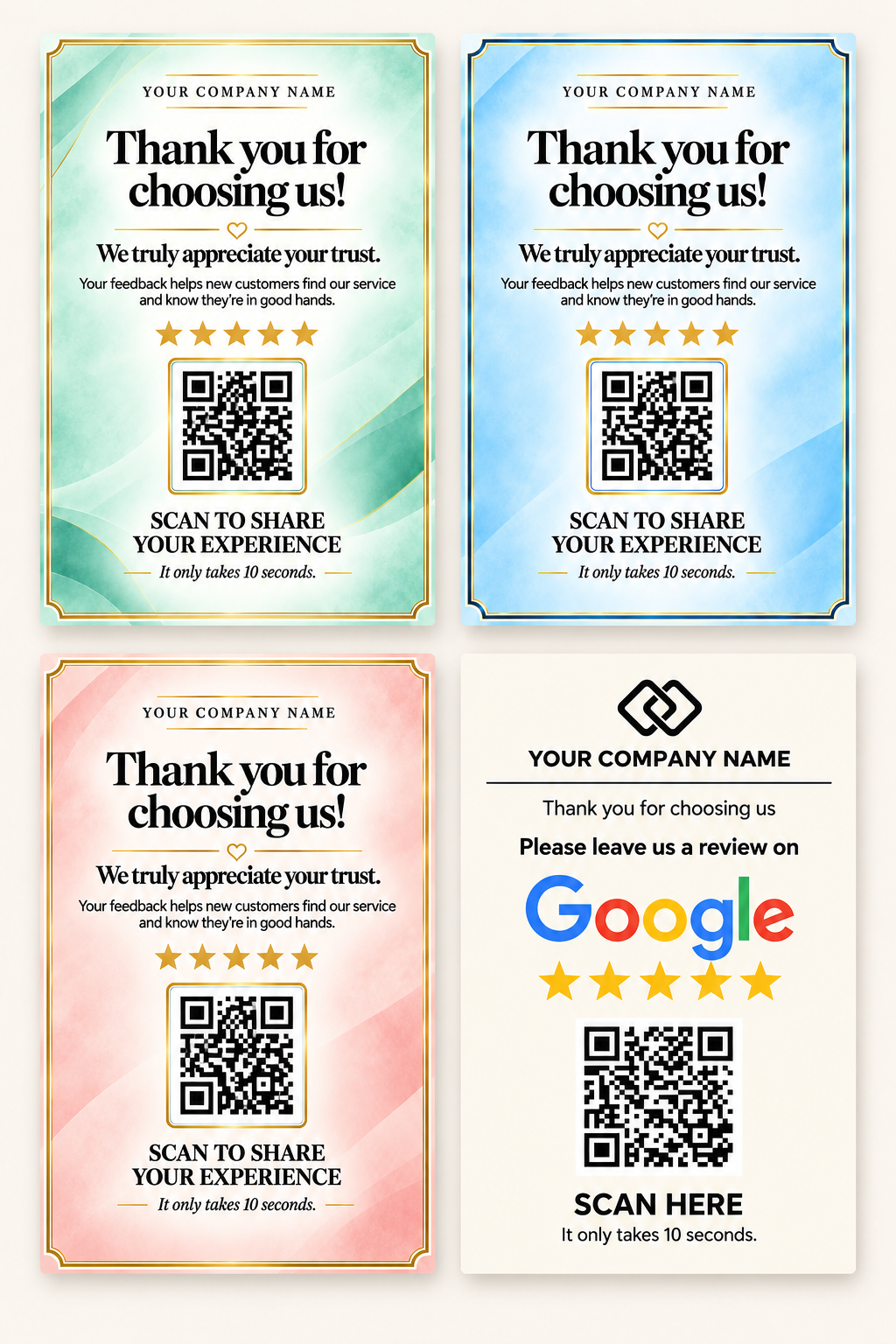
At ReviewCardsApp, we offer personalized digital Google review cards with QR codes.
You provide your business details and Google review link, and the card is customized for you.
You don't need to design a Canva template, generate a QR code yourself, or insert it into the layout.
The product is delivered as a digital design that you can print and use with customers. It is not a physical NFC card.
If you're comparing different types of review cards before choosing one, see our guide to the best Google review cards for business.
Frequently Asked Questions
Are Businesses Allowed to Ask Customers for Google Reviews?
Yes. Google allows businesses to request reviews from customers who have had genuine experiences with them.
However, businesses must not offer incentives, selectively request positive feedback, or pressure customers to leave a particular rating.
Should I Ask for a Review in Person or Just Give Customers a Card?
Either approach can work.
If you already have a natural, friendly interaction with a customer, a brief mention of the card may be appropriate.
If the customer is in a hurry or the interaction is mostly transactional, simply making the card available may be preferable.
You don't have to verbally ask every customer.
Can I Put Review Request Cards in Customer Orders?
Yes. A printed review card can be included with a receipt, shopping bag, or order package.
Make sure the wording invites genuine feedback without implying that a positive rating is expected.
Do Google Review Request Cards Guarantee More Reviews?
No. A review card makes the review process easier to access, but customers still choose whether to leave feedback.
Its usefulness depends on factors such as placement, visibility, customer interactions, and whether the QR code works correctly.
The Best Review Request Feels Like an Invitation
The most useful Google review request cards do two things well: they tell customers where to leave feedback and give them the freedom to decide whether to do it.
You don't need an elaborate script or a persuasive pitch.
A short message, a working QR code, and a natural moment to introduce the card are enough to establish a straightforward review request process.
Make the card easy to find, keep the wording neutral, and let customers respond on their own terms.
That's a much better customer experience than turning a simple request into an awkward conversation.