Google Review Card Size Guide: Business Cards, Table Cards & Signs
The best Google review card size depends on how you plan to use it. Standard business cards measuring 3.5 × 2 inches work well for compact handouts, while 4 × 6 inch postcards provide more room for a branded thank-you message and a prominent QR code. Larger table cards and signs are better suited to permanent displays where customers may scan from farther away.
A Google review card doesn't have to look like a generic QR-code advertisement. It can also serve as a thoughtful thank-you card, giving customers a pleasant way to end their interaction with your business while making it easy to share their experience on Google.
Choosing the right dimensions helps you balance those two purposes: creating an attractive customer-facing card and ensuring the QR code works reliably.
Here's a practical guide to Google review card dimensions, QR code sizes, printing specifications, and the formats that work best for different businesses.
Google Review Card Sizes at a Glance
There is no official standard Google review card size. The right format depends on whether you're handing cards to customers, including them with purchases, or displaying them in a fixed location.
Here are common options:
| Format | Dimensions | Suggested QR Code Size | Best Use |
|---|---|---|---|
| US business card | 3.5 × 2 in (89 × 51 mm) | 25–30 mm | Compact handouts |
| European business card | 85 × 55 mm | 25–30 mm | Handouts and receipts |
| Small thank-you card (A7) | 74 × 105 mm | 30–40 mm | Order inserts |
| US postcard | 4 × 6 in (102 × 152 mm) | 35–50 mm | Thank-you cards and service handouts |
| A6 postcard | 105 × 148 mm | 35–50 mm | Thank-you cards |
| Table display | 4 × 6 in (102 × 152 mm) | 40–60 mm | Restaurant tables and counters |
| Counter sign (A5) | 148 × 210 mm | 60–80 mm | Reception desks |
| Larger sign (A4) | 210 × 297 mm | 80–120 mm | Walls and waiting areas |
QR code sizes are practical starting points, not guaranteed minimums. The correct size depends on scanning distance, code complexity, print quality, and lighting. Always test the final printed version.
Notice that a 4 × 6 inch format can serve two different purposes: a postcard handed directly to customers or a display placed on a counter. The dimensions may be identical, but the design and QR code placement should reflect how customers will use it.
1. Business-Card Size: Best for Compact Handouts
Standard business-card-sized review cards are a practical choice when portability matters.
They fit easily into wallets, receipt holders, shopping bags, and small printed materials.
Recommended Dimensions
Two common formats are:
- US standard: 3.5 × 2 inches (88.9 × 50.8 mm)
- European format: 85 × 55 mm
Both can accommodate a short thank-you message, a business name, and a QR code.
However, space is limited. Trying to include a large logo, lengthy message, social media accounts, and a QR code can make the design crowded.
Example Layout
Front:
THANK YOU FOR CHOOSING US!
We appreciate your business.
Back:
How Was Your Experience?
[Google Review QR Code]
Scan to Leave a Google Review
Using both sides gives the thank-you message and QR code enough room to breathe.
Alternatively, a single-sided design can work if the wording is very short.
When This Size Works Best
Business-card-sized review cards can be useful for:
- Retail shops including cards with receipts
- Cafés offering small takeaway cards
- Auto repair businesses handing over paperwork
- Contractors distributing compact customer handouts
The main advantage is portability.
The disadvantage is limited design space. If you want the card to feel more like a thoughtful thank-you note, a larger postcard format may be more suitable.
2. 4 × 6 Inch Postcards: Best for Branded Thank-You Cards
A 4 × 6 inch portrait postcard (101.6 × 152.4 mm) offers an excellent balance between readability, design space, and convenience.
It's larger than a standard business card but still compact enough to hand directly to customers.
The extra space allows you to combine several elements without creating a cluttered design:
- A prominent thank-you message
- Your business name or logo
- A short invitation to share feedback
- A clearly visible Google review QR code
- Colors and visual elements that reinforce your brand
This format works especially well when you want the card to feel like a customer-appreciation gesture rather than a direct request for a review.
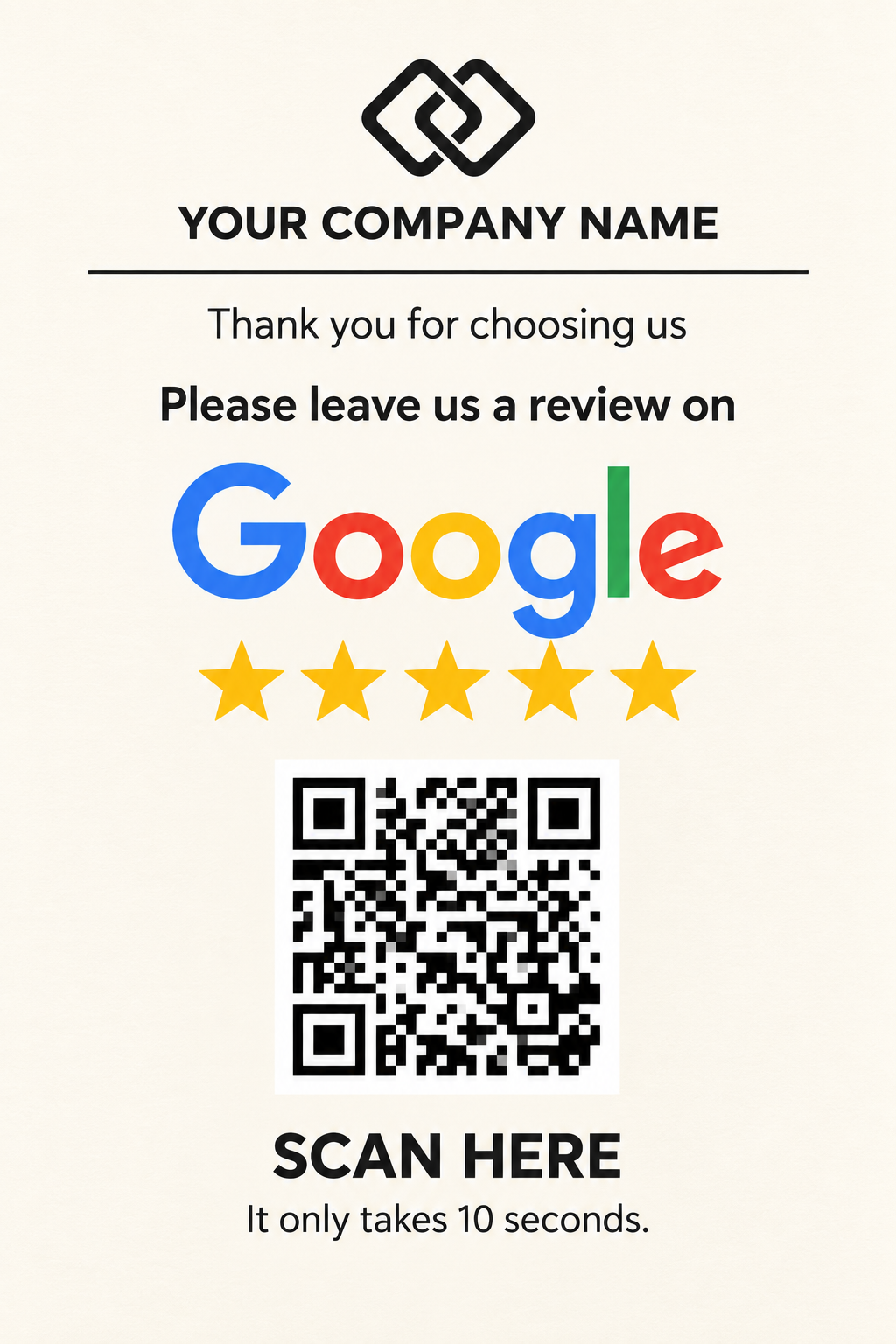
Example 4 × 6 Inch Postcard Layout
THANK YOU FOR CHOOSING US!
We appreciate your trust and support.
How Was Your Experience?
[Large Google Review QR Code]
Scan to Share Your Feedback on Google
The portrait orientation provides room for a clear visual hierarchy.
The thank-you message appears first, the review invitation follows, and the QR code provides the next step.
Why the Postcard Format Works
Consider an HVAC technician who has just completed a repair at a customer's home.
The technician explains the completed work, hands over the invoice, and says:
"Thank you for choosing us. Here's our thank-you card."
The customer receives a branded postcard with a message of appreciation and a QR code linking to the company's Google review page.
This changes the nature of the interaction.
Instead of asking the customer directly for a review and waiting for an answer, the technician offers a thank-you gesture that includes an optional invitation to share feedback.
The postcard serves several purposes at once:
- It expresses appreciation for the customer's business.
- It creates a friendly closing ritual after the completed service.
- It reinforces the company's branding.
- It makes the Google review page easier to access.
- It gives employees a simple, repeatable way to introduce review requests.
The same approach can work for cleaning companies, landscapers, salons, automotive businesses, and other local service providers.
Printing a 4 × 6 Inch Google Review Postcard
For a standard portrait postcard, the key specifications are:
| Specification | Recommended Value |
|---|---|
| Finished size | 4 × 6 inches |
| Metric dimensions | 101.6 × 152.4 mm |
| Orientation | Portrait |
| Aspect ratio | 2:3 |
| Raster dimensions at 300 PPI | 1200 × 1800 pixels |
| Preferred print format | Print-ready PDF |
| Alternative format | High-resolution PNG |
| Typical bleed | 0.125 inches per side |
| Full dimensions with bleed | 4.25 × 6.25 inches |
| Suggested material | High-quality cardstock or premium paper |
These dimensions are suitable for creating a postcard intended for professional printing.
If you're working in Canva, create the design at 4 × 6 inches and use the PDF Print export option for professional printing.
If your artwork extends to the edges, include the bleed required by your printer.
At the standard 0.125-inch bleed allowance on each side, the complete artwork area becomes 4.25 × 6.25 inches.
Important: The 1200 × 1800 pixel dimensions describe the finished 4 × 6 inch card at 300 PPI, excluding bleed. A raster image that includes the full 0.125-inch bleed on every side would need 1275 × 1875 pixels at the same resolution.
Always confirm the printer's requirements before submitting the file.
3. A6 and A7 Cards: Alternative Thank-You Formats
Businesses outside the United States may prefer internationally standardized paper sizes.
Two practical options are:
- A7: 74 × 105 mm
- A6: 105 × 148 mm
A7 cards are compact and suitable for smaller order inserts.
A6 cards offer more space and are similar in overall size to US 4 × 6 inch postcards, although the proportions are slightly different.
Which Should You Choose?
Choose A7 when portability and minimal printing material are priorities.
Choose A6 when you want a larger thank-you message, more branding space, or a more prominent QR code.
Choose a US-standard 4 × 6 inch postcard if you're printing through a provider that supports that format or want a familiar postcard size for American customers.
None of these formats is universally superior.
The best choice depends on your printing service, design preferences, and how the card will be distributed.
4. Table Cards: Best for Restaurants and Cafés
Restaurants and cafés often use Google review cards differently from home-service businesses.
Instead of handing customers individual cards, they may place a printed review invitation on the table, at the payment counter, or inside a bill folder.
A 4 × 6 inch display face is a useful starting point for a tabletop card.
A 5 × 7 inch display offers additional room if customers need to scan from farther away.
Example Restaurant Design
THANK YOU FOR DINING WITH US!
We appreciate your visit.
How was your experience?
[Google Review QR Code]
Scan to Share Your Feedback
The card can match the restaurant's branding, including its colors, typography, and overall atmosphere.
Handout or Table Display?
The choice depends on the experience you want to create.
A postcard included with the bill can act as a personal thank-you gesture at the end of the meal.
A permanent table display makes the QR code available throughout the visit without employees handing out individual cards.
For restaurants that want the review request to feel like part of the farewell, handing over a thank-you postcard with the bill can be particularly natural.
For busy cafés or quick-service restaurants, a permanent counter display may be more practical.
QR Code Size for Table Displays
A QR code approximately 40–60 mm square is a useful starting point for a small tabletop display.
However, if customers are expected to scan from across the table rather than moving their phones close to the card, a larger code may be needed.
Test the card at realistic scanning distances and under the restaurant's actual lighting.
If you're using a folded table tent, remember that the complete unfolded sheet must accommodate both display panels and the fold.
5. Counter Signs: Best for Reception Desks
For businesses with a reception desk or payment counter, a permanent review sign can be more convenient than individual handouts.
A popular format is A5:
148 × 210 mm (approximately 5.8 × 8.3 inches)
An A5 sign provides enough space for a large QR code, a prominent headline, and business branding.
Example Layout
THANK YOU FOR VISITING US!
We appreciate you choosing our business.
[Google Review QR Code]
How Was Your Experience?
Scan to Leave a Google Review
This format can work well for:
- Hair salons
- Dental practices
- Auto repair reception desks
- Spas and wellness studios
- Retail checkout counters
A permanent display allows customers to discover the review invitation independently.
It also reduces the need for employees to repeat review requests.
However, an unattended sign can be overlooked. Place it where customers naturally look and can scan comfortably.
For an A5 counter sign, a QR code around 60–80 mm square is a reasonable starting point, depending on the expected scanning distance.
6. Larger Signs: Best for Walls and Waiting Areas
For more distant viewing, consider an A4 sign:
210 × 297 mm (8.3 × 11.7 inches)
This size can work in waiting areas, entrances, or on walls.
However, a larger page doesn't automatically mean the QR code will be easy to scan.
The code itself must be large enough for the expected viewing distance.
A QR code suitable for scanning from 30 cm may be much too small for a sign mounted two meters away.
If you want customers to scan a code from several meters away, you may need a substantially larger sign.
For most small businesses, a sign customers can comfortably approach is more practical than one designed for long-distance scanning.
How Big Should a Google Review QR Code Be?
The size of the card and the size of the QR code are separate decisions.
For a handheld Google review card, the code can be relatively small because customers can bring their phones close to it.
For tabletop displays and wall signs, the code usually needs to be larger.
One widely used planning guideline is to size the QR code at roughly one-tenth of the expected scanning distance.
For example:
| Expected Scanning Distance | Approximate QR Code Width |
|---|---|
| 25–30 cm | 2.5–3 cm |
| 50 cm | 5 cm |
| 1 meter | 10 cm |
| 2 meters | 20 cm |
These are estimates, not universal technical minimums.
QR code complexity, contrast, print quality, camera performance, and lighting can all influence readability.
Leave Enough Empty Space Around the Code
QR codes require a clear border called the quiet zone.
For standard QR codes, this quiet zone should extend at least four modules beyond the code pattern on each side.
Avoid placing decorative graphics, borders, or text inside this area.
Use Strong Contrast
Dark QR code elements against a white or light background are generally reliable.
Low-contrast designs may look attractive but can be more difficult to scan.
If you're using brand colors, make sure they don't interfere with QR code readability.
Avoid Distorting the QR Code
Always resize the code proportionally.
Stretching a square QR code into a rectangle can damage the pattern and make it difficult or impossible to scan.
Test the Final Printed Version
Don't rely on testing the code only on your computer screen.
Print a sample at the actual intended dimensions and scan it with a smartphone.
If possible, test with more than one phone and under the lighting conditions where the card will be used.
Single-Sided vs. Double-Sided Google Review Cards
Card dimensions also influence whether you should use one or both sides.
Single-Sided Cards
A single-sided design keeps the thank-you message and QR code visible together.
This works well for:
- Reception displays
- Tabletop signs
- Cards placed in holders
- Simple postcards with a clean layout
The advantage is immediate visibility.
Double-Sided Cards
A double-sided design separates appreciation from the review request.
For example:
Front:
THANK YOU FOR CHOOSING US!
We appreciate your trust and support.
Back:
How Was Your Experience?
[Google Review QR Code]
Scan to Leave a Google Review
This format can feel more like a traditional thank-you card.
It's especially useful when you're handing the card directly to customers at the end of a service.
However, the QR code isn't immediately visible unless the recipient turns the card over.
If you want customers to scan the card while it's displayed in a holder, a single-sided layout is usually more practical.
What Resolution Do You Need for Printing Google Review Cards?
For raster images, 300 pixels per inch (PPI) at the final printed size is a common professional printing target.
The required pixel dimensions depend on the size of the card.
| Finished Print Size | Pixel Dimensions at 300 PPI |
|---|---|
| 3.5 × 2 inches | 1050 × 600 px |
| 4 × 6 inches | 1200 × 1800 px |
| 5 × 7 inches | 1500 × 2100 px |
| 8 × 10 inches | 2400 × 3000 px |
These dimensions exclude bleed.
For a 4 × 6 inch portrait Google review postcard, 1200 × 1800 pixels is the standard raster size at 300 PPI.
An image measuring 1024 × 1536 pixels would provide only 256 PPI at that print size.
That may still produce an acceptable result in some circumstances, but it doesn't meet the 300 PPI target. Simply enlarging the image won't restore missing detail.
For professional printing, a properly prepared PDF with sharp text and vector elements is often preferable to a low-resolution raster image.
What Is Bleed?
Bleed is additional artwork extending beyond the final cutting line.
It helps prevent unwanted white edges when a printed card is trimmed.
For example, if you're printing a 4 × 6 inch postcard with a full-color background extending to the edges, your printer may require 0.125 inches of bleed on every side.
This creates an artwork area of:
4.25 × 6.25 inches
The finished card is still trimmed to 4 × 6 inches.
What Are Safe Margins?
Safe margins are areas inside the trimming line where important content should remain.
Keep your business name, QR code, and review instructions comfortably away from the edges.
Follow your printer's specific requirements, especially when preparing smaller cards with limited space.
What Paper Should You Use?
For cards handed to customers, high-quality cardstock or premium paper can create a more durable and professional result.
Matte paper is often a practical choice because it reduces reflections.
Glossy paper can also work, but glare may occasionally interfere with scanning.
If you're printing a large batch, test one finished sample before placing the full order.
Get a Personalized 4 × 6 Inch Google Review Card Without the DIY Work
Once you've decided on the card size, you still need to create the design, add your branding, obtain your Google review QR code, and prepare the file for printing.
You can do this yourself using Canva or another design editor.
But if you want a personalized card without spending time on the design and QR-code setup, there's an easier option.
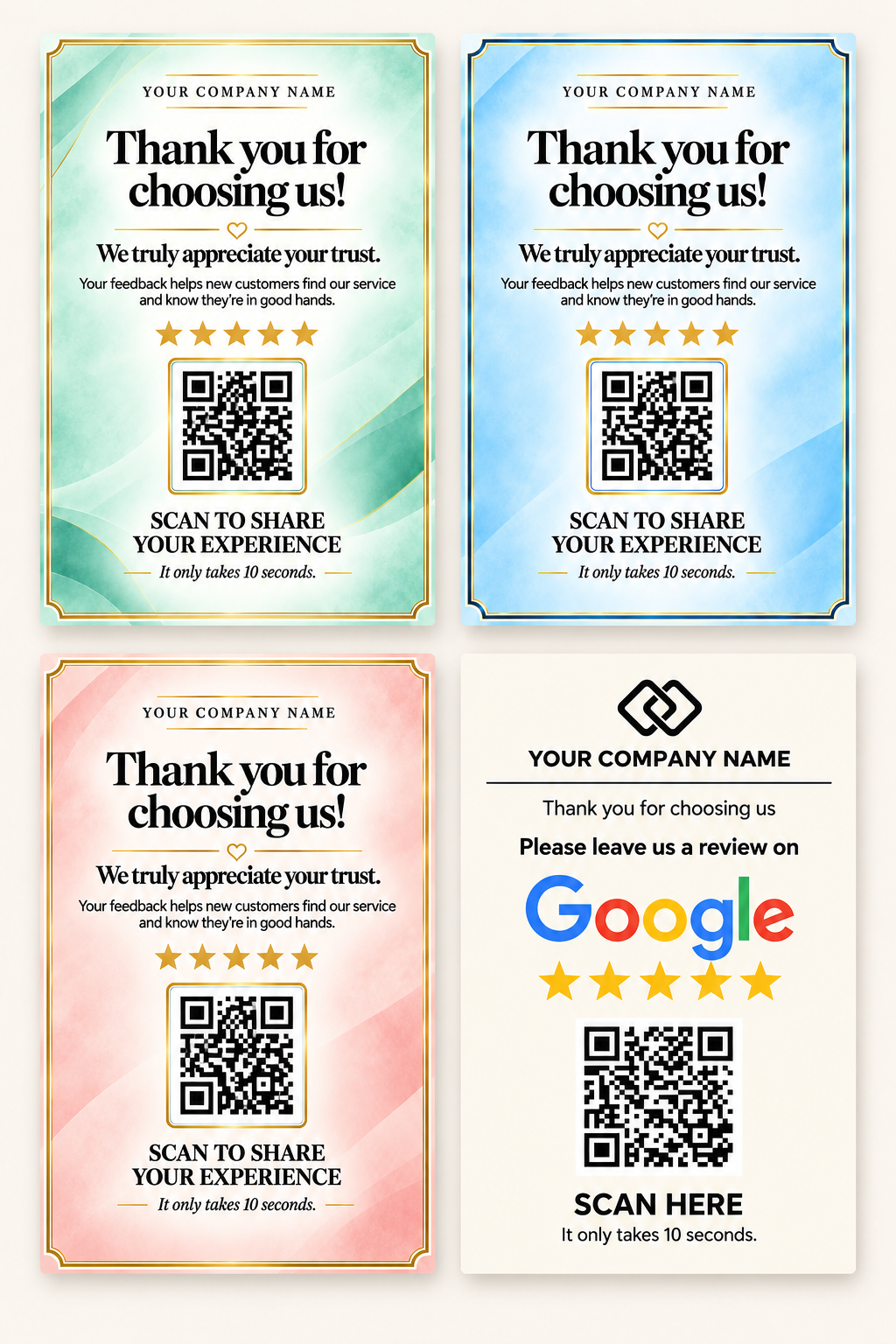
ReviewCardsApp offers personalized Google review cards in a ready-to-print 4 × 6 inch portrait postcard format.
The design combines a thank-you message, your business information, and a QR code connected to your Google review page.
The postcard format provides more room than a standard business card for an attractive design and a clear review invitation.
Instead of handing customers a generic QR code, you can give them a personalized thank-you card that naturally invites them to share their experience.
How ReviewCardsApp Works
The process is simple:
- Choose your preferred design.
- Provide your business information and Google review link.
- Receive your personalized digital Google review card.
The card is customized for your business, so you don't need to edit Canva templates, create the design from scratch, or generate and position the QR code yourself.
The standard product format is:
- Finished size: 4 × 6 inches
- Orientation: Portrait
- Aspect ratio: 2:3
- Print-resolution dimensions: 1200 × 1800 pixels at 300 PPI
- Primary format: Print-ready PDF
- Secondary format: High-resolution PNG
Your finished design can be printed at a local or online print shop on high-quality cardstock or premium paper.
Physical printing is handled separately.
Explore Personalized Google Review Cards From ReviewCardsApp
This option is particularly convenient for small-business owners who want a polished thank-you card without managing the design process themselves.
For additional inspiration on layout, wording, and visual styles, explore Google review card design ideas before choosing your preferred design.
Why the Right Card Size Matters Beyond Printing
Choosing a Google review card size isn't only a technical decision.
It also influences how customers experience the review request.
Consider two different situations.
A restaurant: A customer finishes their meal and receives a small branded thank-you postcard with the bill. The gesture concludes the visit on a friendly note, while the QR code offers an easy way to leave feedback.
An HVAC company: A technician completes a repair, explains the work, and hands the homeowner a 4 × 6 inch thank-you card alongside the invoice. The card reinforces the company's identity and makes the review request part of the normal service-completion process.
In both examples, the card performs more than one function.
It thanks the customer, reinforces the business's branding, makes the review page easy to access, and provides employees with a consistent closing routine.
A permanent counter sign can also be effective, but it creates a different experience. Instead of a personal gesture, it provides a convenient, visible review invitation.
Neither approach guarantees more Google reviews.
The best format is the one that suits your customer interactions and makes leaving genuine feedback straightforward.
Frequently Asked Questions
What Is the Standard Google Review Card Size?
There is no official standard size.
Businesses commonly use standard business-card dimensions, 4 × 6 inch postcards, and larger tabletop or counter displays.
The appropriate format depends on how the card will be presented to customers.
Is 4 × 6 Inches a Good Size for a Google Review Card?
Yes. A 4 × 6 inch postcard provides enough room for a prominent thank-you message, business branding, and a readable QR code.
It's particularly suitable for businesses that want to hand customers an appreciation card after a purchase or completed service.
What Is the Best Size for a Google Review QR Code?
For handheld cards, a QR code around 25–35 mm square is often a useful starting point.
Larger cards and displays may require larger codes, depending on how far away customers will be when scanning.
Always test the final printed result.
Can I Print a Google Review Card at Home?
Yes. Home printing can work for small quantities or test prints.
Use suitable paper or cardstock and make sure the printer preserves the intended dimensions.
For larger quantities or more consistent finishing, a professional print shop may be preferable.
Should I Use a Business Card or a Postcard?
Choose a business card if compact size and portability are your main priorities.
Choose a postcard if you want more room for a thank-you message, brand presentation, and QR code.
For customer-appreciation gestures, the larger postcard format can offer more flexibility.
Does a Google Review Card Have to Be Double-Sided?
No. Both single-sided and double-sided cards can work.
A single-sided card makes the QR code immediately visible.
A double-sided card provides more room to separate the thank-you message from the review invitation.
Can I Resize the Same Google Review Card Design for Different Formats?
Sometimes, but not always without adjustments.
A 4 × 6 inch postcard has a different aspect ratio from a standard business card.
Simply shrinking or cropping the design may cause text, graphics, or the QR code to become too small or incorrectly positioned.
For best results, adapt the layout to the intended print dimensions.
Which Google Review Card Size Should You Choose?
The easiest way to choose is to start with how customers will receive the card.
- For compact handouts: Use standard business-card dimensions.
- For branded thank-you cards: A 4 × 6 inch portrait postcard is an excellent option.
- For restaurant tables: Consider a 4 × 6 inch tabletop display or larger.
- For reception desks: An A5 sign provides more visibility.
- For walls and waiting areas: Choose a larger format and size the QR code for the expected scanning distance.
Whatever dimensions you choose, prioritize readability, QR code functionality, and the customer experience.
A Google review card should make leaving feedback easier. But with the right design and presentation, it can also become a thoughtful thank-you gesture that makes customers feel appreciated and gives your business a natural way to close each interaction.
Choose a format that fits your business, make the thank-you genuine, and let the QR code handle the technical part.